OpenKBS
TutorialsDocs← Back to main site
Menu
TutorialsDocs← Back to main site
Getting Started
Create your account and subscribeConnect or register a domainUnderstanding the workspaceUnderstanding the OpenKBS Studio
Build AI Agents
Your first AI agentBuilding a support bot
Build Websites
Build Apps
Your first web appBuilding a SaaS toolConnecting APIs
Combine Websites + Apps + Agents
Launch a full-stack AI business

Create your account and subscribe

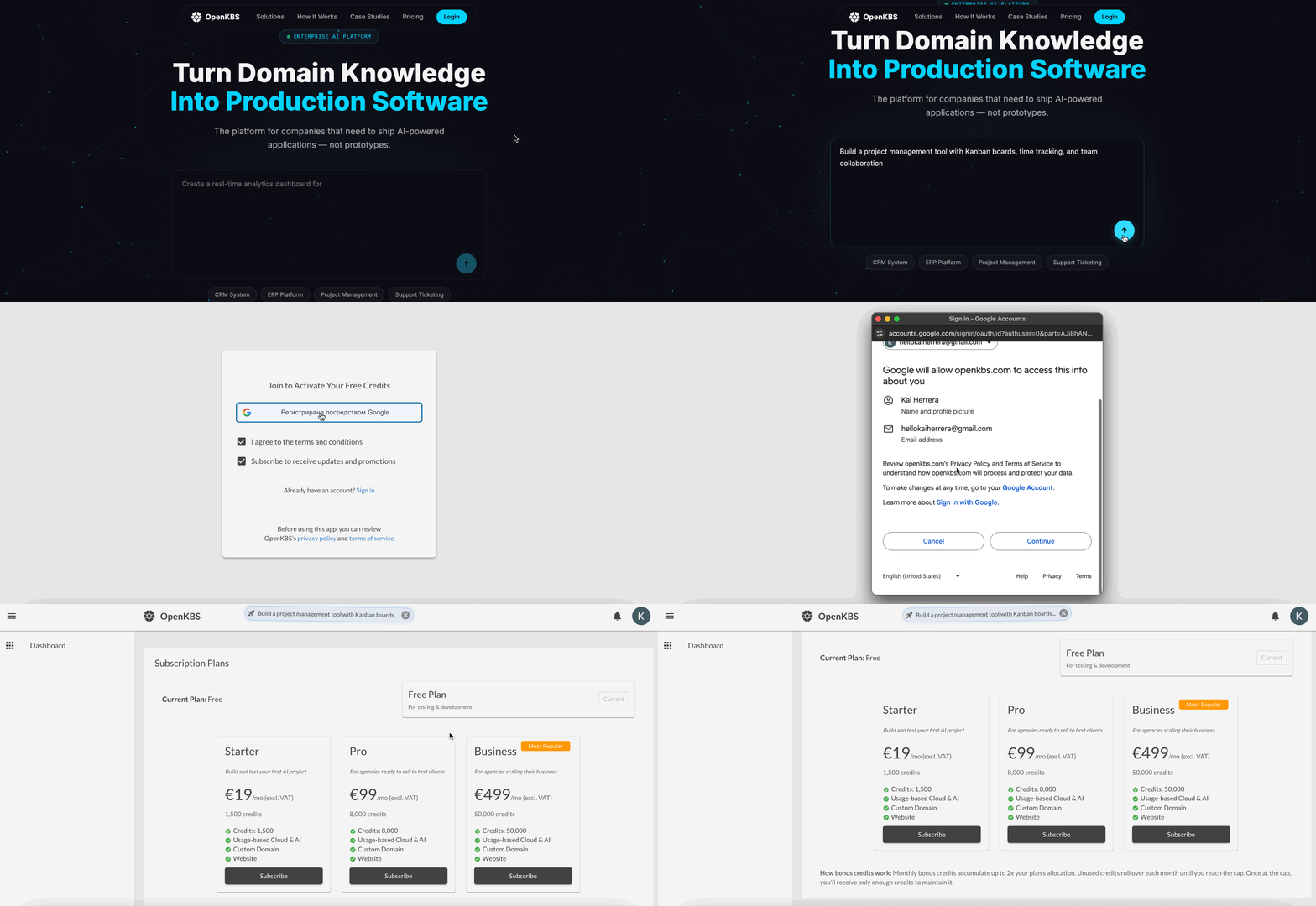
Create your account

  1. Visit openkbs.com.
  2. Click Sign up, Log in, or enter a prompt to get started.
  3. Accept the Terms of Service.
  4. Log in using your Google account.
  5. Welcome to OpenKBS.

create-your-account-01.1.gif

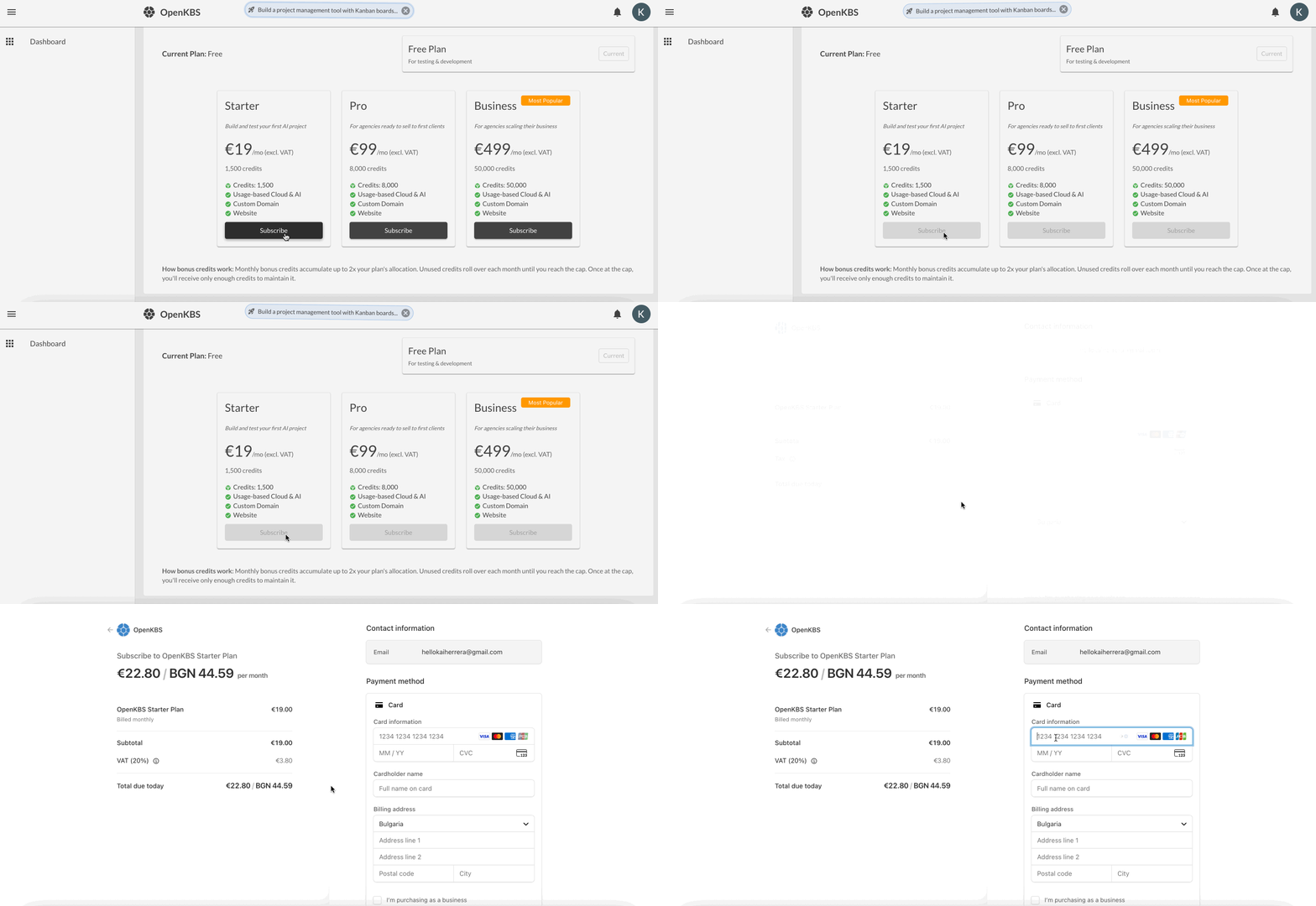
Subscribe

  1. Choose a plan.
  2. Click Subscribe.
  3. Pay securely via Stripe.

create-your-account-02.gif

Understanding the workspace
Next Tutorial

Understanding the workspace

Your workspace is where you manage all your OpenKBS resources.

3/13/2026Getting Started